
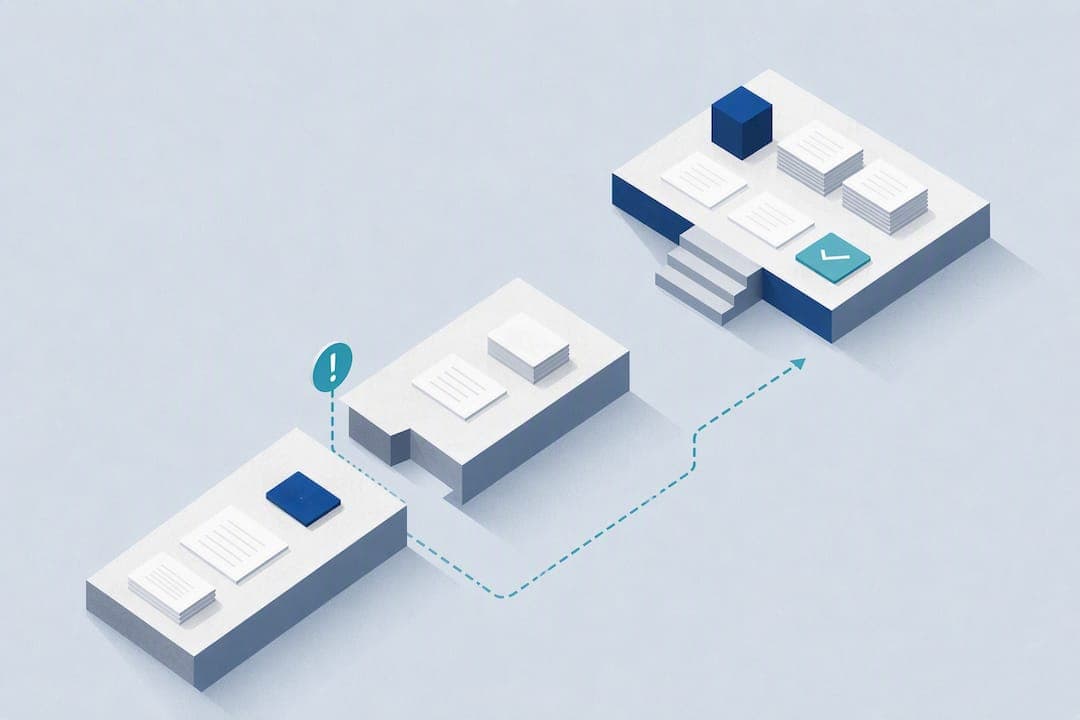
A documentation audit examines your SOPs, runbooks, checklists, recordings, and the tacit knowledge in your team's heads to find where operational knowledge is missing, outdated, or trapped with a single person. The output is a prioritized backlog of gaps, each with an owner and a due date. Skip the planning. Pick one critical process this week and run the audit against it.
TL;DR:
- Most critical processes should be audited weekly by reviewing documents, observing actual work, and interviewing performers to identify gaps and tacit knowledge.
- Findings must be scored and logged with owner, due date, and verification steps; verification is essential before closing each gap.
- Prioritize issues based on impact, frequency, key-person dependency, and compliance risk, with key-person dependency weighted heavily.
- Continuous governance through owner accountability and trigger-based reviews helps prevent documentation decay, especially after incidents or role changes.
- Using specialized platforms allows ongoing monitoring of documentation health, validation of fixes, and early detection of risks like stale or incomplete process knowledge.
Table of Contents
- What Does a Documentation Audit Actually Cover?
- How to Run a Documentation Audit This Week
- Prioritize Findings With a Risk-Based Scoring Model
- Governance and Trigger-Based Reviews Keep Documentation Honest
- Evidence and Metrics That Prove Documentation Supports Continuity
- Perspective: Running Audits With Limited Team Bandwidth
- How MindVault Supports the Documentation Audit Process
- Sources
- FAQ
What Does a Documentation Audit Actually Cover?
A documentation audit is not a file cleanup exercise. It has to cover explicit artifacts and tacit knowledge together, or it misses the risk that actually causes downtime.
Start with the artifacts you can see: SOPs, runbooks, checklists, training recordings, handoff notes, and version history. Check whether each one still matches how the work gets done, not how it was designed three reorgs ago.
Then go after what is not written down. Subject-matter experts carry workarounds, judgment calls, and tribal shortcuts that never made it into a document. Those "on-the-floor" adjustments are often the real process. ISO 9001 clause 7.1.6 requires organizations to identify and maintain this kind of organizational knowledge, both explicit and tacit, and auditors check for evidence it is actually accessible.
Evidence of use matters as much as the document itself. A perfect SOP nobody follows is a liability, not an asset. Look for tickets referencing the procedure, sign-off logs, sample outputs, and system activity that shows the document is doing real work.
How to Run a Documentation Audit This Week
You do not need a quarter to plan this. A focused audit of one process can run in a week if you follow a tight sequence.
- Pick the scope. Choose one process that is critical, repeated often, and painful if it breaks. Timebox the whole audit to five business days so it does not sprawl.
- Gather everything. Pull the document files, linked systems, any recorded walkthroughs, related tickets, and a list of who currently owns and performs the work.
- Read the document cold. Before talking to anyone, read the SOP as if you were new. Note every place it is vague, outdated, or silent on an edge case.
- Observe the real process. Watch someone perform the task. Compare what they actually do against what the document says. The gaps here are usually where the tacit knowledge lives.
- Interview the performer and a second reviewer. Ask what they would tell a new hire that is not in the document. A practical SOP audit checklist recommends this read, observe, interview sequence specifically because each step catches something the others miss.
- Score each finding. Use a simple rubric: 0 for missing, 1 for partial or outdated, 2 for complete and verified. Score against items like "owner named," "last reviewed date visible," "matches observed practice," and "evidence of recent use."
- Log findings into a tracked backlog. Every finding needs four fields at minimum: owner, due date, fix type (rewrite, retire, reassign owner, add detail), and a verification method.
- Verify the fix, don't just close the ticket. Sample a handful of updated documents a few weeks later, watch the process again, or check that the linked ticket volume dropped. Closing a finding without verification just resets the clock until the next gap appears.
That last step is where most internal audits quietly fail. A finding marked "done" with no verification is a guess, not a fix.
Prioritize Findings With a Risk-Based Scoring Model
Not every gap deserves the same urgency. A missing step in a rarely used process is not the same risk as a single person holding the only knowledge of your client onboarding flow.
Score each finding across four dimensions:
- Impact — what breaks, and how badly, if this process fails right now
- Frequency — how often the process runs; daily processes compound risk faster than annual ones
- Key-person dependency — how many people can perform this without the current owner
- Regulatory or contract risk — whether a client agreement or compliance obligation depends on this process working
Combine the scores into a priority band. A process with high impact, high frequency, and a single owner lands in the high band and gets fixed immediately. A process with moderate impact but a backup performer lands in medium and goes into the next sprint. Low impact, low frequency, well-documented processes go into scheduled maintenance and get reviewed on the normal cycle.
Pro Tip: Weight key-person dependency higher than you think you should. A process that only one employee can run is a continuity risk even if it rarely fails, because the failure mode is that person leaving, not the process breaking.
Governance and Trigger-Based Reviews Keep Documentation Honest
A one-time audit fixes a moment. Governance keeps that fix from decaying.
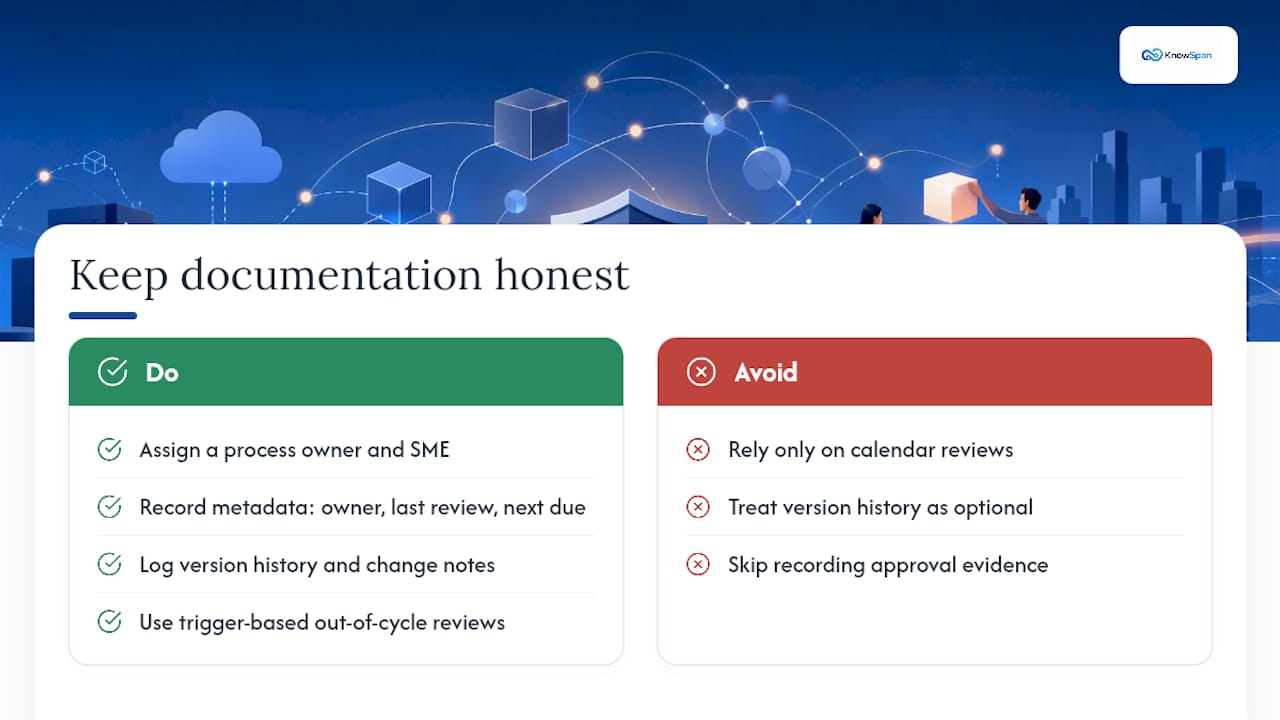
Every process needs an accountable owner and a subject-matter expert on record, along with visible metadata: who owns it, when it was last reviewed, and when it is due next. COBIT BAI08 frames this as a managed knowledge lifecycle, moving from draft through review to approved and eventually retired, with evidence logged at each stage.
Version history and change notes matter more than most teams treat them. An approval record showing who signed off and when turns a document into audit-ready evidence, not just a file that changed.
The bigger shift is moving away from calendar-only reviews. A process reviewed every twelve months regardless of what happened in between will drift. Trigger-based reviews fire off an out-of-cycle audit when something material happens: a major incident, a tool change, or a role transition. Log the trigger and the outcome each time. That log becomes your audit trail, and it is far more convincing to an auditor than a static review date nobody remembers setting.
Evidence and Metrics That Prove Documentation Supports Continuity
Leaders reviewing an audit want to see the same handful of artifacts every time: owner metadata, review timestamps, approval evidence, change notes, and links between runbooks and the tickets that used them.
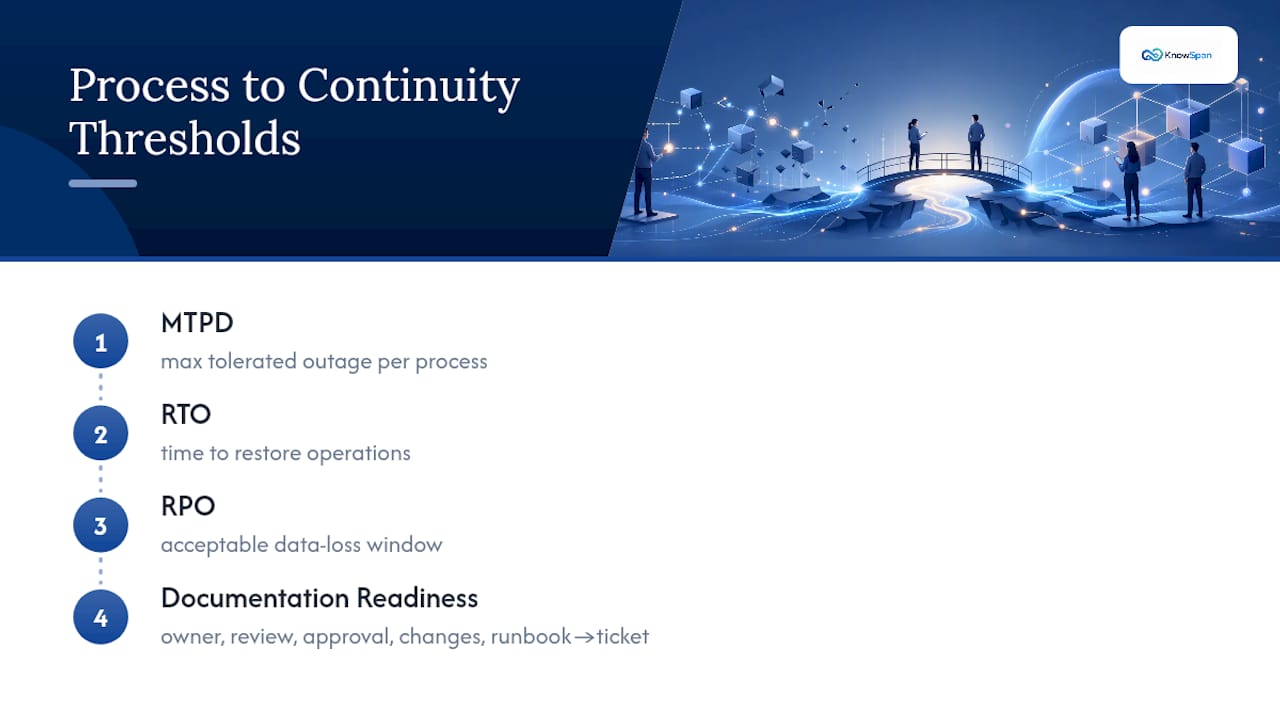
ISO 22301 Clause 8 ties documentation directly to recovery metrics: maximum tolerable period of disruption (MTPD), recovery time objective (RTO), and recovery point objective (RPO). Map each critical process to these numbers so a documentation gap reads as a continuity risk, not just a paperwork problem.
Operational evidence brings this to life: an incident ticket that references an approved runbook, a tabletop exercise report, a test outcome showing the documented steps actually worked under pressure. When you write the audit summary, tie every gap to its risk level and its remediation status in one line each. A findings table with three columns, gap, risk band, and status, communicates more than a page of narrative.
Perspective: Running Audits With Limited Team Bandwidth
Most operations teams do not have a dedicated documentation staff. That is fine. Run short, focused "content health sprints" against your five or ten highest-risk processes instead of trying to audit everything at once.
Use a three-way validation mix: the owner, the person who actually performs the work, and an independent reviewer who has never touched the process. That combination catches blind spots a single reviewer misses.
The biggest mistake I see is tracking fixes in a spreadsheet that nobody reopens. A finding without a live tracked workflow and a verification step is just a note to yourself. Keep it in a system, not a document.
— Jack
How MindVault Supports the Documentation Audit Process
Running an audit manually gets you a snapshot. The problem is keeping it current once the spreadsheet closes and everyone moves on to the next fire.
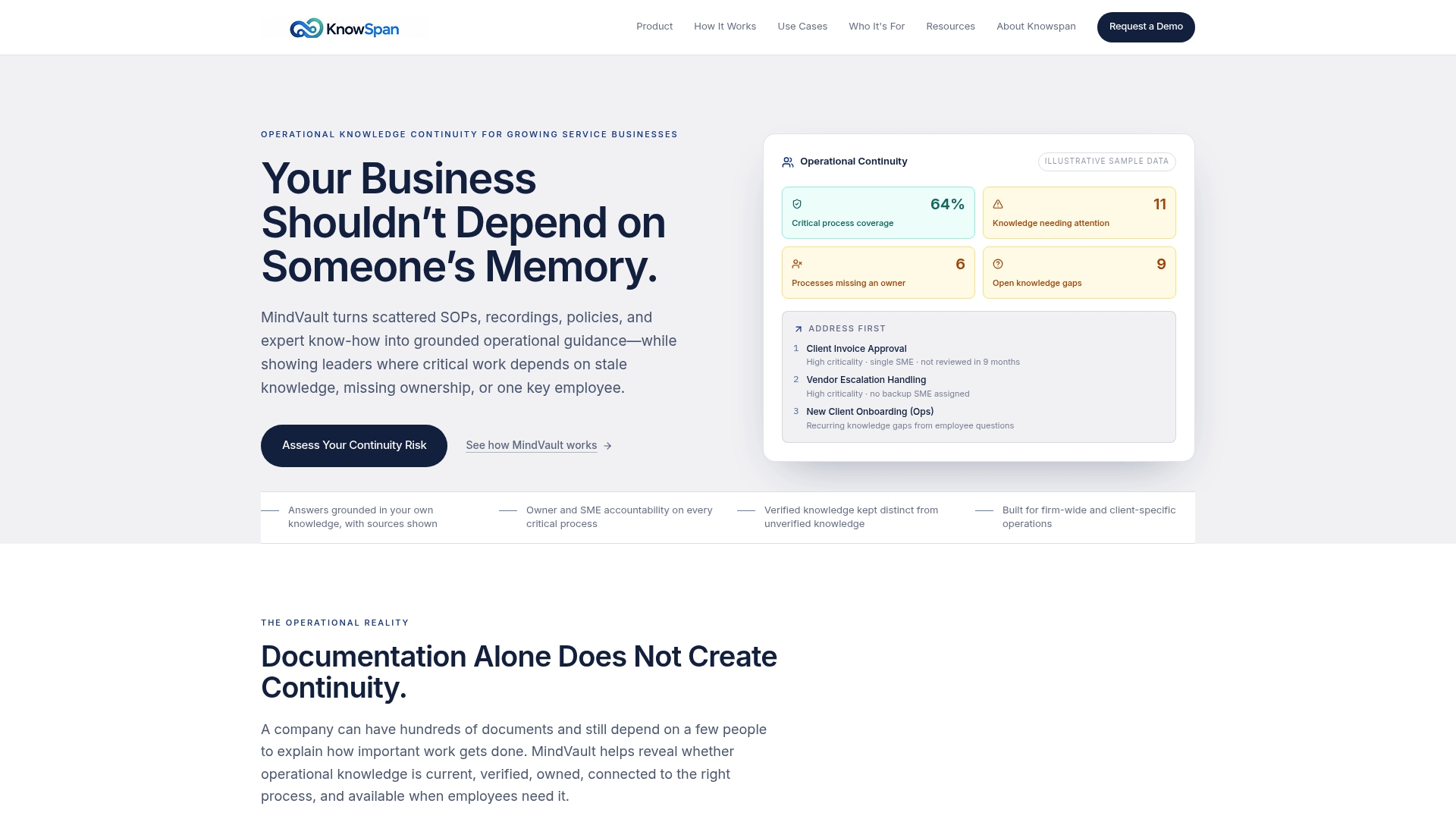
MindVault is an operational knowledge platform designed to address that gap. Every process is associated with an accountable owner and subject-matter expert, with verification status clearly visible rather than hidden in review logs. The Operational Continuity dashboard highlights risks such as stale documentation, processes lacking a named owner, and single-person dependencies that can be overlooked without continuous monitoring.
MindVault helps identify gaps beyond a typical audit by tracking employee operational questions not covered in existing documentation and managing them as a backlog for subject-matter experts to address over time. See how the continuity dashboard works or check your continuity risk score to see where your documentation stands today.
Sources
- Operational resilience guidance recommending trigger-based reviews
- Auditing to ISO 9001: Organizational knowledge (APG 2015)
FAQ
What Is a Documentation Audit?
A documentation audit is a structured review of a business's SOPs, runbooks, checklists, recordings, and tacit process knowledge to check completeness, ownership, verification status, and key-person risk.
How Often Should We Run a Documentation Audit?
Combine a light annual or biannual review with trigger-based reviews that fire whenever a major incident, process change, or role transition happens, since event-driven reviews catch drift that calendar-only schedules miss.
What Is the Difference Between a Documentation Audit and a Document Review?
A document review checks one file for accuracy. A documentation audit examines the whole set of artifacts and tacit knowledge behind a process, including who owns it, whether it is used, and how exposed the business is if that knowledge disappears.
How Do We Score Documentation Audit Findings?
A simple 0 to 2 rubric works well: 0 for missing, 1 for partial or outdated, 2 for complete and verified, then layer in impact, frequency, and key-person dependency to set priority, as outlined in this SOP audit checklist.
Can Software Help Manage a Documentation Audit?
Yes. A platform like MindVault tracks owner assignments, verification status, and review triggers in one place, and its Operational Continuity dashboard flags stale documentation and single-person dependencies before an audit would otherwise catch them.
Recommended
This article was researched and drafted with AI assistance and reviewed by the KnowSpan team before publishing. It's provided for general informational purposes and isn't a substitute for professional legal, compliance, or IT advisory services. For guidance specific to your organization, please consult a qualified professional or contact us directly.