
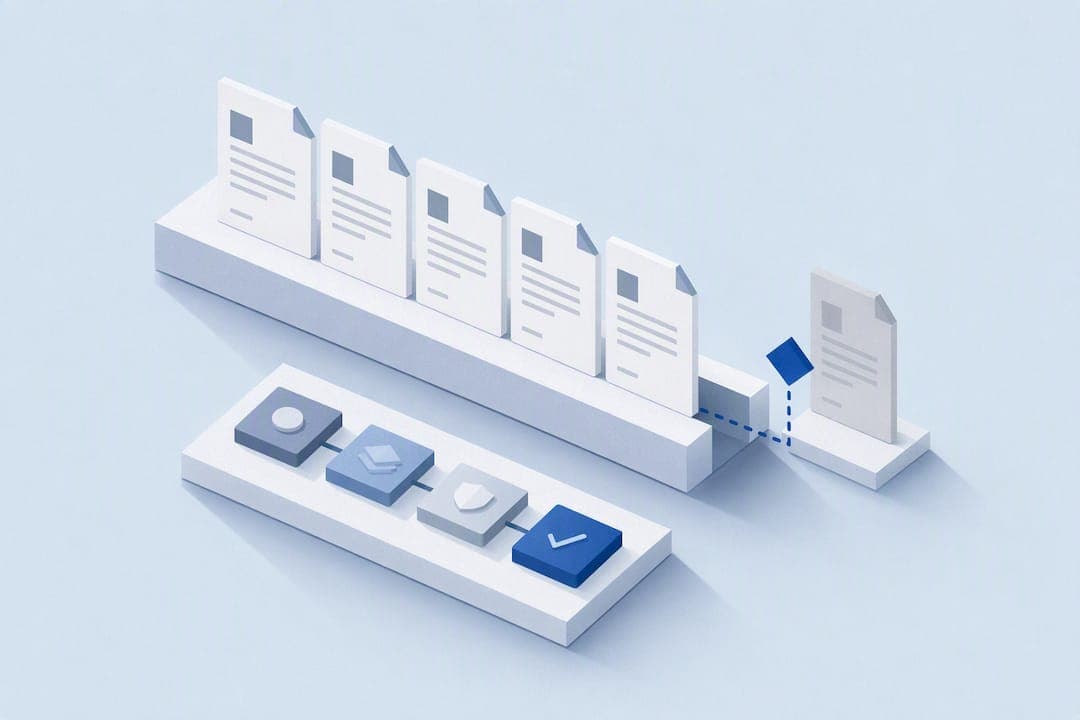
Assign every category of content an accountable owner, set event-driven review triggers for anything tied to pricing, policy, or product changes, and run a 30 to 60 minute weekly hygiene check on your highest-traffic articles. That combination fixes more knowledge base search relevance problems than any tool purchase. Governance frameworks and checklists support that work. They don't replace it.
TL;DR:
- Regular owner assignment at the category level ensures accountability and reduces management overhead as the content library grows.
- Risk-based review cadences prompt high-traffic articles to be checked every 30 to 90 days, while low-risk pages can be reviewed annually or less frequently.
- Automation tools monitoring upstream systems and support tickets enable early detection of stale or inaccurate content before it impacts users or AI performance.
- Maintaining version control with change logs and embedding updated content prevents outdated information from persisting in search results or AI responses.
- Clear governance practices, including metadata standards and continuous dashboard monitoring, are critical to prevent maintenance efforts from failing due to cultural or operational neglect.
Table of Contents
- What Are the Elements of an Effective Maintenance Governance Framework?
- Why Does Knowledge Base Maintenance Actually Matter?
- Why Do Most Knowledge Base Maintenance Efforts Fail?
- How Do You Build a Repeatable Knowledge Base Maintenance Workflow?
- How Do You Detect Stale Content Before Customers Do?
- What KPIs and Audits Show a Healthy Knowledge Base?
- What Does a 30/60/90-Day Knowledge Base Maintenance Plan Look Like?
- How Do You Train and Onboard Knowledge Base Contributors?
- How Should You Collect User Feedback on Knowledge Base Articles?
- How Do You Handle Version Control and Change Logs?
- Governance and Continuity: A Publisher's View
- How MindVault Turns Governance Into a System
- Sources
- FAQ
What Are the Elements of an Effective Maintenance Governance Framework?
Governance is what separates a knowledge base that stays useful from one that quietly rots. The framework needs four parts working together, not just a folder of good intentions.
Ownership should sit at the category or functional level, not the individual article level. Assigning one owner per article creates massive overhead the moment your content library grows past a few hundred pages. Group ownership by category keeps accountability intact even as individual articles get edited, split, or retired.
Review cadence should follow risk, not the calendar. A governance framework built around risk times usage recommends reviewing high-risk, high-traffic content every 30 to 90 days. Medium-risk material can wait 90 to 180 days. Low-risk evergreen pages are fine at 180 to 365 days.
A workable governance framework needs:
- A named owner or owning team for every content category
- A review cadence tied to risk level, not a fixed quarterly sweep
- Lifecycle states (draft, verified, under review, retired) visible on every article
- Required metadata: owner, last verified date, risk tier, and source system
That metadata is what makes an audit possible six months from now instead of a guessing game.
Why Does Knowledge Base Maintenance Actually Matter?
Stale documentation isn't a cosmetic problem. It's a continuity risk. When one person holds the only current version of a process in their head, that person becomes a single point of failure. High-traffic articles that go out of date quietly erode customer trust, and they poison AI-assisted answers that pull from your content. The daily cost shows up as repeated support tickets and slower onboarding, since new hires trust documentation that keeps turning out to be wrong.
Why Do Most Knowledge Base Maintenance Efforts Fail?
Most maintenance programs don't die from lack of tools. They die from ownerless content nobody feels responsible for fixing. Calendar-only reviews make it worse: a quarterly sweep misses a pricing change that happened six weeks ago and already misled ten customers.
Heavy approval chains create their own friction. If updating one sentence requires three sign-offs, people stop updating. And knowledge hoarding remains common when nobody rewards documenting what you know. Research into organizational knowledge management confirms this is mostly a culture problem. Technology alone rarely fixes it.
How Do You Build a Repeatable Knowledge Base Maintenance Workflow?
The fix for calendar fatigue and ownerless drift is a cadence with real time budgets attached. Here's a structure that works for most service businesses:
- Weekly (30 to 60 minutes). Triage new support tickets for documentation gaps, sweep for broken screenshots or dead links, and fix anything quick. This is the habit that keeps small problems from becoming big ones.
- Monthly. Review your top-viewed articles for accuracy, pull a report on failed or low-confidence search queries, and sync documentation against your product's release notes.
- Quarterly. Run a content gap analysis, decide what to merge or archive, and clean up your taxonomy so categories still make sense as the business has grown.
- Event-driven, anytime. A pricing change, a policy update, a security incident, or a product release should trigger an immediate review of every article tied to that change. Don't wait for the next scheduled cycle.
That fourth trigger matters more than most teams realize. Leading service businesses are shifting from calendar-based audits toward automated change detection, flagging content for review the moment an upstream system changes rather than waiting for a quarterly deadline.
Pro Tip: Keep a running list of "trigger events" (pricing pages, policy documents, compliance deadlines) mapped to the articles they touch. When one changes, you already know exactly what to review instead of hunting for it.
How Do You Detect Stale Content Before Customers Do?
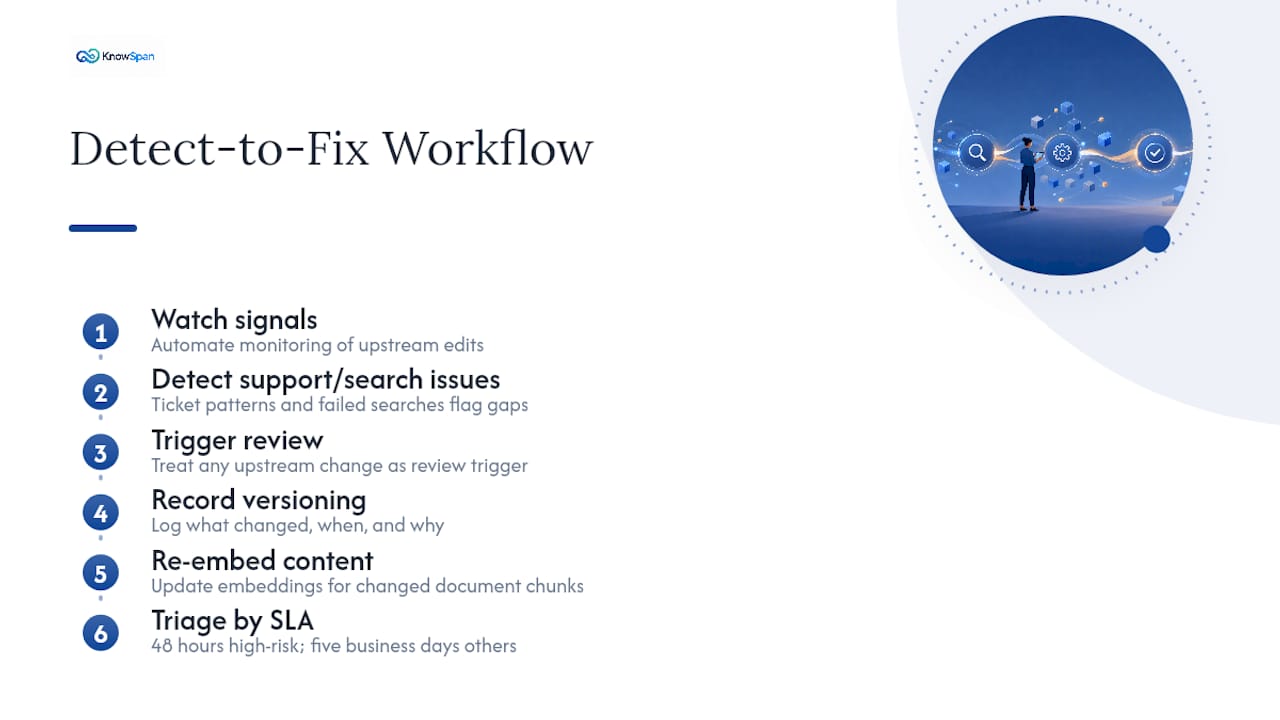
Automation should carry the weight of watching for change, so your team can focus on fixing what it finds. Monitor upstream systems like pricing pages, release notes, and policy documents for edits, and treat any change there as a review trigger.
Support tickets and failed search queries are your best diagnostic signals. If the same question keeps generating a support ticket, or the same search term keeps returning nothing useful, that's a documentation gap hiding in plain sight. Ticket patterns and search failures reliably point to missing or outdated content faster than any manual audit.
Version control matters here too. Treat your knowledge base like a codebase: record what changed, when, and why. For any AI agent or retrieval system pulling from your content, re-embed updated chunks whenever a document changes so stale text doesn't linger in the answers your agent gives. Set a triage SLA, something like 48 hours for high-risk flags and five business days for everything else, so signals don't sit in a queue indefinitely.
What KPIs and Audits Show a Healthy Knowledge Base?
You need a small number of metrics you actually check, not a dashboard nobody opens. Four matter most: deflection rate (how often the knowledge base resolves a question without a ticket), search success rate, freshness coverage (percentage of articles reviewed on schedule), and stale retrieval rate for any AI or RAG system pulling from your content.
Target ranges worth tracking:
- Freshness coverage above 90% is a healthy sign; below 75% means your review cadence isn't keeping up.
- Stale retrieval rate under 5% keeps AI-generated answers accurate; higher rates degrade agent performance noticeably.
- Broken links and orphaned content should trend toward zero, not just get cleaned up once a year.
Your quarterly audit should check accuracy, metadata completeness, ownership assignment, broken links, and whether AI systems can actually parse the content correctly. Combining checklist scores with usage and feedback data helps you prioritize fixes instead of trying to touch every article at once, which never works.
What Does a 30/60/90-Day Knowledge Base Maintenance Plan Look Like?
Reviving a neglected knowledge base, or launching a maintenance program from scratch, works best in three stages.
- Days 0 to 30: Build a master index of everything that exists. Assign category owners. Fix the obvious problems on your highest-traffic, highest-risk pages first.
- Days 31 to 60: Stand up review workflows and set SLAs for triage. Work through the issues your initial audit surfaced.
- Days 61 to 90: Run your first full quarterly audit. Archive or merge low-value content. Publish your KPI dashboard so leadership can see it.
A simple triage matrix helps at every stage: update content that's accurate but outdated, merge content that overlaps with another article, and archive content nobody has viewed or needed in over a year.
How Do You Train and Onboard Knowledge Base Contributors?
New contributors need more than write access. They need a short onboarding path that covers your metadata standards, your lifecycle states, and your escalation path for content they're unsure how to handle. A 30-minute walkthrough during week one prevents months of inconsistent tagging later.
Pair every new contributor with a subject-matter expert for their first few articles. Have that expert review the draft before it goes live, not after. This catches formatting problems and factual gaps early, while the habit is still forming.

Build a lightweight style guide: how to write a title, where metadata goes, what "verified" actually means in your system. Contributors who don't know the standard will guess, and guesses create inconsistency that compounds over time.
Escalation paths matter just as much as writing standards. If a contributor finds a compliance question they can't answer, they need a named person to ask, not a general inbox that gets checked twice a month. Capturing knowledge from daily support interactions, rather than waiting for a dedicated documentation sprint, keeps the pipeline of new content moving without adding meetings to anyone's calendar.
Refresh training annually, especially for anyone who touches high-risk categories like compliance, security, or pricing. Standards drift if nobody revisits them.
How Should You Collect User Feedback on Knowledge Base Articles?
The fastest signal is a simple "was this helpful" prompt at the bottom of every article, tracked over time rather than glanced at once. A sudden drop in helpfulness on a specific page is often the first sign something changed upstream and nobody caught it.
Support tickets remain a rich secondary source. When an agent has to answer the same question three times in a week, that's direct evidence the article failed, whether it's missing, unclear, or simply wrong. Route those signals into your weekly triage instead of letting them pile up in a separate feedback tool nobody checks.
Search analytics fill in the gap between the two. Queries that return zero results, or that get abandoned quickly, point to gaps your feedback widget will never catch because the reader never found an article to rate.
Consider a lightweight quarterly survey for internal users, especially new hires who rely on the knowledge base most during onboarding. Their fresh eyes catch confusing language that veteran staff have stopped noticing. Feed all of it, ratings, tickets, and search failures, into the same backlog so nothing gets lost between systems.
How Do You Handle Version Control and Change Logs?
Every article needs a visible change history: what changed, who changed it, and why. Without that, you can't tell whether a fix was intentional or an accident, and you can't roll back a bad edit with confidence.
A simple change log field beats a complicated system nobody maintains. Record the date, the editor, and a one-line reason for the change. That's usually enough to reconstruct what happened months later when someone asks "why does this say that now?"
For knowledge bases feeding an AI agent or search tool, version control gets more technical. Documents used in retrieval systems need re-embedding whenever the underlying content changes, or the AI keeps serving outdated chunks even after the article itself is fixed. Document hashing can flag when a source file has changed upstream but the corresponding article hasn't been touched. That mismatch is exactly the kind of stale-content risk a continuity dashboard should surface before a customer notices it.
Governance and Continuity: A Publisher's View
Most knowledge base maintenance programs fail from mismatch, not laziness. The cadence exists on paper, but daily work doesn't reflect it, and leadership never checks whether it's happening. Some platforms help by tying every process to a verification status and surfacing continuity risk before it becomes an emergency. Governance only works when someone above the knowledge manager actually looks at the dashboard.
— Jack
How MindVault Turns Governance Into a System
Everything covered here, owners, review cadences, lifecycle states, metadata, maps directly onto how MindVault is built. Every process gets an accountable owner and a subject-matter expert. Every article shows its verification status instead of leaving staff to guess whether a document is current. An operational continuity dashboard can surface where an organization is exposed to stale documentation or a single-person dependency, before it turns into a crisis.
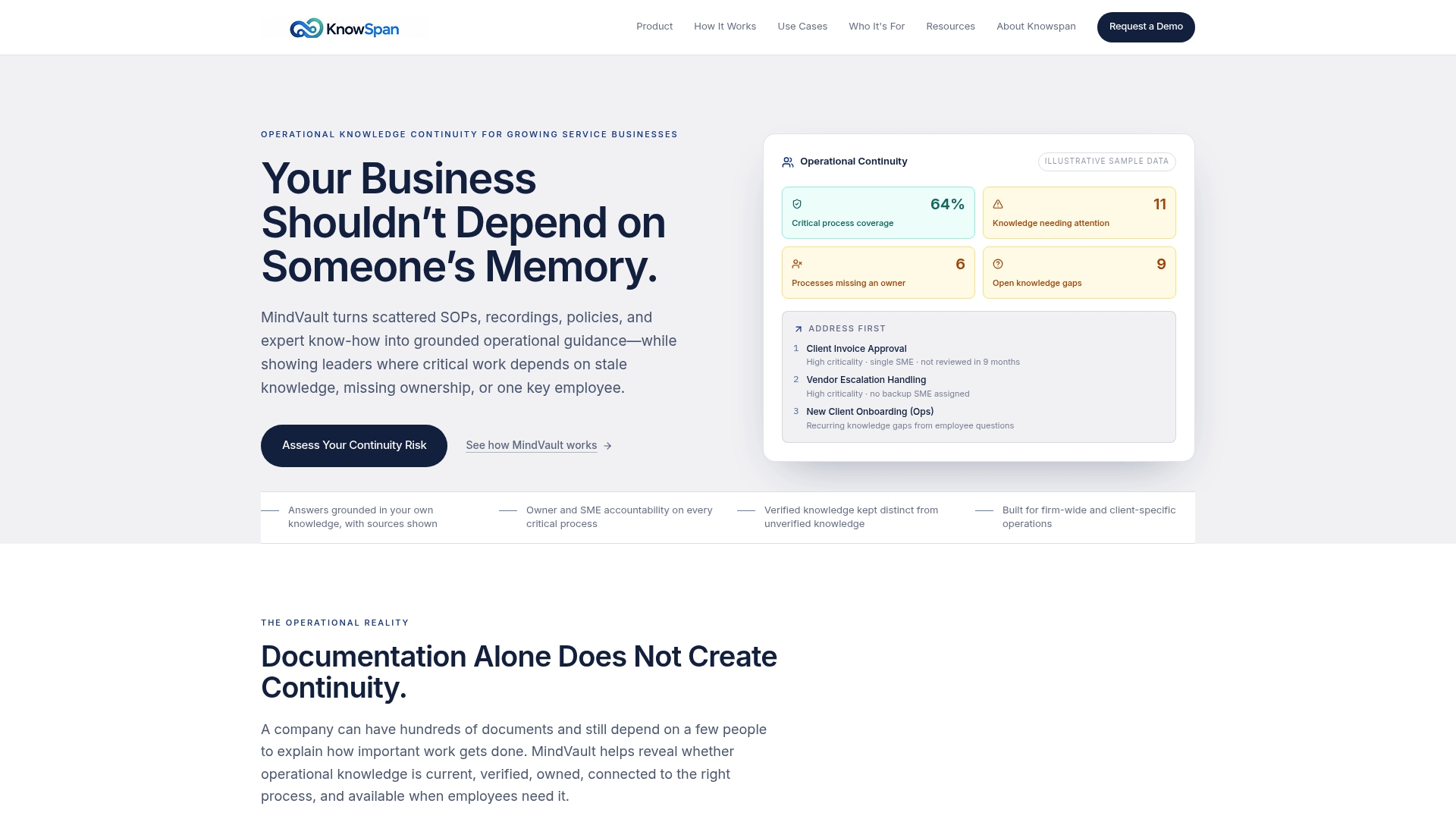
For operations teams, such platforms can help spot stale documentation before a customer or auditor does, identify single-point-of-failure risks, and track review SLAs against actual completion.
Unanswered employee questions get tracked as a backlog instead of getting asked, and lost, over and over. That backlog becomes a prioritized list for your subject-matter experts to close. If your knowledge base has drifted from something people trust into something people work around, request a demo and see what a governed system looks like for a business your size.
Sources
For deeper reading beyond what's covered here, the knowledge base governance framework guide breaks down risk-based review scheduling in detail. The AI agent knowledge base management guide covers version control and staleness metrics for AI-driven retrieval. For the cultural side of knowledge management failure, the organizational KM study is worth a full read. And the 2026 knowledge base management guide from Dokly covers day-to-day capture workflows well.
- AI knowledge-base automation reshapes customer self-service
- Organizational KM study (ePrints White Rose)
- AI agent knowledge base management guide for 2026 | Fastio
- Knowledge base governance framework guide
FAQ
How Do You Maintain a Knowledge Base?
Assign category owners, set a review cadence based on risk (30 to 90 days for high-risk content), and build in event-driven triggers so pricing or policy changes get reviewed immediately rather than waiting for the next scheduled audit.
What Is an Example of a Knowledge Management System?
A knowledge management system is any platform that centralizes an organization's documented processes and expertise, such as a wiki, a document repository, or a governed platform like MindVault that ties content to verification status and ownership.
What Is the Purpose of a Knowledge Base?
A knowledge base exists to give employees and customers a single, accurate source of answers, reducing repeated support tickets and helping new hires get up to speed without relying on one person's memory.
What Are the Types of Knowledge Management?
Definitions vary across practitioners, but most frameworks distinguish between explicit knowledge (documented processes, SOPs) and tacit knowledge (know-how held by individual experts), with maintenance programs existing largely to convert the second into the first before it walks out the door.
How Often Should You Update Knowledge Base Articles?
High-risk, high-traffic articles need review every 30 to 90 days, medium-risk content every 90 to 180 days, and low-risk evergreen material every 180 to 365 days, with event-driven triggers overriding any schedule when something upstream changes.
Recommended
This article was researched and drafted with AI assistance and reviewed by the KnowSpan team before publishing. It's provided for general informational purposes and isn't a substitute for professional legal, compliance, or IT advisory services. For guidance specific to your organization, please consult a qualified professional or contact us directly.