
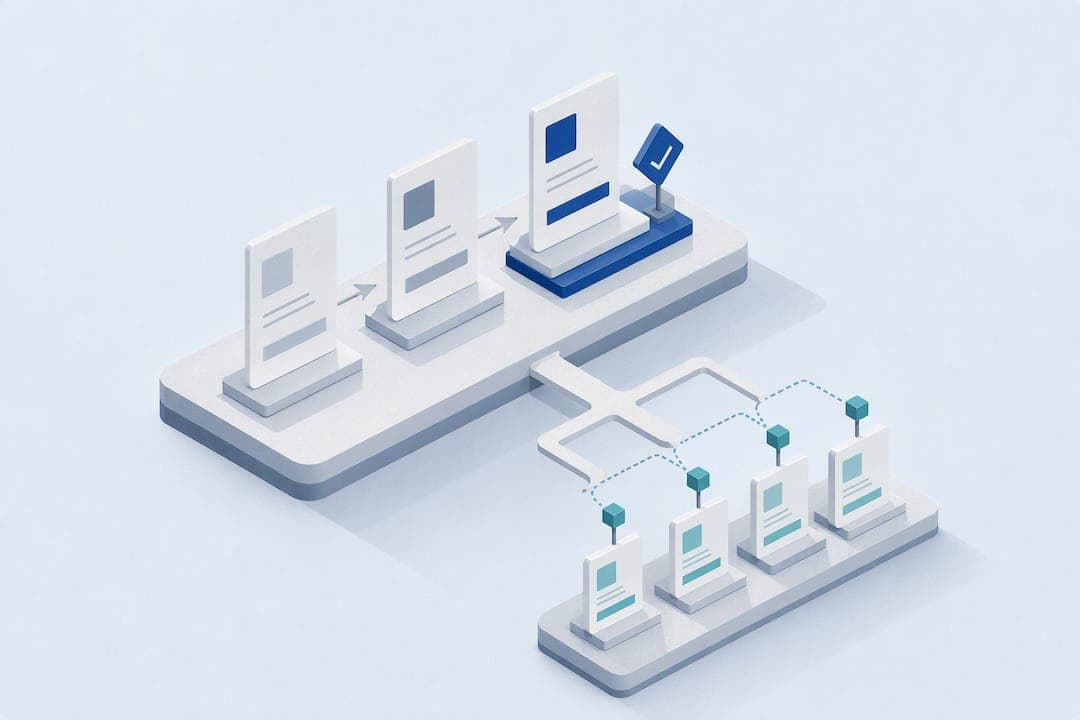
Knowledge lifecycle management is the discipline of creating, capturing, organizing, sharing, updating, and retiring what an organization knows, so that expertise survives beyond any one employee. The single highest-leverage move is assigning a named owner to every critical process and folding capture into the workflow people already use. Measurement and review cadence come next, once ownership is in place.
TL;DR:
- Assigning a dedicated owner to each critical process significantly improves knowledge findability and reduces the risk of outdated or lost information.
- Maintaining a balanced governance model that combines central standards with domain-specific ownership prevents bottlenecks and fragmentation.
- AI-assisted passive capture enhances digital knowledge retention, but it requires clear ownership, review cadences, and scope limitations to avoid errors.
- Measuring knowledge management success involves tracking search success, content freshness, onboarding efficiency, and knowledge retention after employee turnover.
- Starting with a focused 90-day pilot on high-frequency workflows, with baseline instrumentation and explicit review criteria, fosters evidence-based improvement.
Table of Contents
- What Are the Stages of the Knowledge Lifecycle?
- How Do You Govern Knowledge So It Doesn't Go Stale?
- Which Capture Method Fits Which Kind of Knowledge?
- How Do You Measure Knowledge Management ROI?
- Where Does Your Organization Sit on the Knowledge Maturity Curve?
- What Should the First 90 Days of a Knowledge Program Look Like?
- How MindVault Applies the Lifecycle in Practice
- What Continuity Audits Actually Reveal
- Get a Clear Picture of Your Continuity Risk
- Sources
What Are the Stages of the Knowledge Lifecycle?
Knowledge lifecycle management runs through six operational stages, and most organizations already do several of them without naming or connecting them. The knowledge life cycle model from MIT Sloan Management Review describes knowledge moving from tacit, individual origins through testing and diffusion until it becomes standard, commoditized practice. That progression maps directly onto the operational stages leaders need to manage.
- Create: New knowledge forms when someone solves a problem for the first time. This is often tacit and undocumented at first.
- Capture: The insight gets recorded, whether as a written procedure, a screen recording, or a logged answer to a colleague's question.
- Organize: Captured knowledge gets tagged, categorized, and placed where the right role can find it.
- Share: Knowledge reaches the people who need it, through search, onboarding, or direct handoff.
- Update/maintain: Someone reviews the artifact against current reality and revises it when a process changes.
- Retire: Outdated knowledge gets archived or deleted so it stops misleading people.
Early-stage, highly tacit knowledge, like a senior technician's judgment call on an unusual repair, often needs personalization: mentoring, shadowing, or direct conversation rather than a document. Later-stage, well-tested knowledge, like a standard onboarding checklist, should be codified into an SOP anyone can follow. Knowing which stage a piece of knowledge sits in tells you whether to write it down or pair someone up.
How Do You Govern Knowledge So It Doesn't Go Stale?
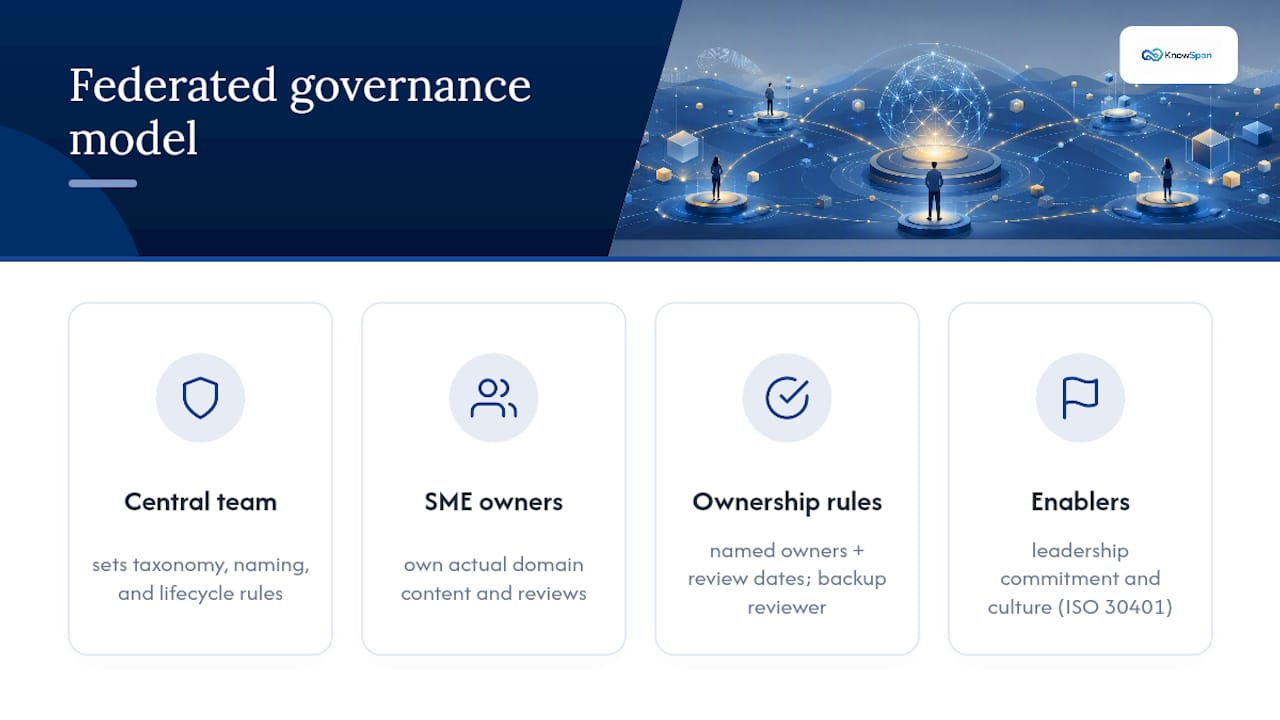
Content rot is not a technology failure. It happens because nobody owns the artifact. KMHelpDesk's research on knowledge management best practices found that durable programs assign named owners and review dates to every piece of knowledge, and that ownership, not software, predicts whether findability holds up over time.
A federated governance model works better than either extreme. A small central team sets taxonomy, naming conventions, and lifecycle rules. Distributed subject-matter experts own the actual content within their domain. Fully centralized systems create bottlenecks; fully decentralized ones fragment into inconsistent, duplicate documentation. ISO 30401 frames this balance as one of the core enablers of a managed knowledge system, alongside leadership commitment and culture.
Review cadence should vary by content type, with more frequent reviews for regulatory and core procedures and less frequent for background material. 4. Trigger-based review: any customer complaint, audit finding, or new hire's repeated question should force an ad-hoc review regardless of schedule.
The most common failure mode is a single owner covering too many artifacts, which recreates the same key-person risk the lifecycle process was supposed to solve.
Pro Tip: Assign a backup reviewer alongside every primary owner. If the owner leaves, the review cadence should never silently lapse.
Which Capture Method Fits Which Kind of Knowledge?
Match the capture method to three variables: how deep the knowledge is, what medium the work happens in, and what continuity goal you're solving for. A shallow, repeatable task captures well as a written SOP. A judgment-heavy task, like negotiating a vendor contract, captures better on video or through a structured interview. Knowledge embedded in software workflows, like a specific configuration sequence in a billing platform, often needs shadowing or screen capture rather than prose.
- Written SOPs: best for stable, repeatable, rules-based tasks; weakest for capturing judgment or exceptions.
- Video walkthroughs: strong for showing sequence and tone, especially in client-facing work; weak for searchability unless transcribed and indexed.
- Structured interviews: effective for tacit expertise held by one person; time-intensive and dependent on good questions.
- Shadowing: useful for uncovering steps the expert doesn't think to mention; slow and hard to scale across many roles.
An emerging option changes the calculus for digital, screen-based work. A knowledge continuity playbook from BASG describes AI-assisted passive capture, which observes work as it happens and synthesizes structured knowledge from it, without requiring the expert to stop and write documentation. This matters most for deep, digital roles, like a finance analyst's spreadsheet logic or a support lead's ticket triage patterns, where the knowledge is real but rarely gets written down because nobody has time.
Sequencing matters here. KMHelpDesk's analysis makes a case that AI acts as an amplifier: on a governed knowledge base it improves search and drafting, but on a messy one it scales confident errors. Pilot AI-assisted passive capture only after ownership and review cadence exist, on a narrow scope, with clear rules for who reviews and approves anything it generates, and explicit boundaries on what activity is monitored and how it's disclosed to employees.
How Do You Measure Knowledge Management ROI?
Findability, quality, operational impact, and strategic value form the four KPI groups worth tracking, according to Coworker. Time-to-find and search success rate cover findability. Verification status and content freshness cover quality. Ticket deflection, onboarding time, and repeat-question rate cover operational impact. Retention of institutional knowledge after turnover covers strategic value.
Two ROI models are worth running before you ask for budget. The ticket deflection model multiplies the number of questions a knowledge base resolves without a live person by the average cost of a support interaction. The time-to-competency model compares new-hire ramp time before and after structured documentation exists, multiplied by loaded salary cost per day of delay.
- Run experiments over 60 to 90 day windows with a control cohort that doesn't get the new documentation or tool.
- Instrument search logs, ticket tags, and event-level usage before launch, not after.
- Assign a single metric owner so the dashboard doesn't drift into a vanity report nobody checks.
| KPI Group | Example Metric | Who Owns It |
|---|---|---|
| Findability & use | Time-to-find, search success rate | Knowledge operations lead |
| Quality & trust | Verification status, freshness | Content owner |
| Operational impact | Ticket deflection, onboarding time | Operations manager |
| Strategic value | Retention after turnover | Executive sponsor |
Coworker.ai's ROI measurement guide recommends starting with a small set of outcome-linked KPIs rather than tracking everything at once, since a narrow, credible result gets funded faster than a sprawling dashboard.
Where Does Your Organization Sit on the Knowledge Maturity Curve?
Most organizations fall into one of four maturity stages, and the right next move depends entirely on which one you're in. KMHelpDesk's maturity framework ties a single prioritized action to each stage rather than a generic wish list.
- Ad hoc: knowledge lives in individual inboxes and heads; no shared repository exists. Next move: pick one high-frequency workflow and pilot a documented process for it.
- Developing: some documentation exists, but ownership is unclear and updates are sporadic. Next move: assign named owners and review dates to existing artifacts before creating new ones.
- Managed: ownership and review cadences are working, and findability is decent. Next move: instrument usage data and tune based on where searches fail.
- Optimized: metrics are strong, governance holds under turnover. Next move: automate selectively, starting with AI-assisted tagging or drafting on the cleanest content areas.
Readiness for AI augmentation shows up as a specific signal: search success rates are stable, review cadences are actually followed without chasing, and verification status is visible on most content. Add AI before those signals appear and it mostly automates confusion.
What Should the First 90 Days of a Knowledge Program Look Like?
A 90-day pilot converts strategy into evidence executives can act on. Scope it tightly rather than broadly.
- Get an executive sponsor and pick 1 to 3 high-frequency workflows, not a company-wide rollout. Choose processes with measurable pain, like a support queue with repeat questions or an onboarding path with long ramp times.
- Instrument before you build. Log search queries, tag support tickets by topic, and capture event-level usage data so you have a real baseline.
- Assign an owner and backup for each pilot artifact, with a review date set at launch, not left to "eventually."
- Set the review cadence by content type using the same 90 day, 6 month, and annual bands from the governance section.
- Define go/no-go criteria upfront, such as a measurable drop in time-to-find or a specific ticket deflection percentage, so the pilot has a clear verdict instead of an open-ended extension.
Pro Tip: Run the continuity scorecard approach to rank workflows by risk before picking your pilot. Start where a single person's absence would hurt most, not where documentation is easiest to write.
How MindVault Applies the Lifecycle in Practice
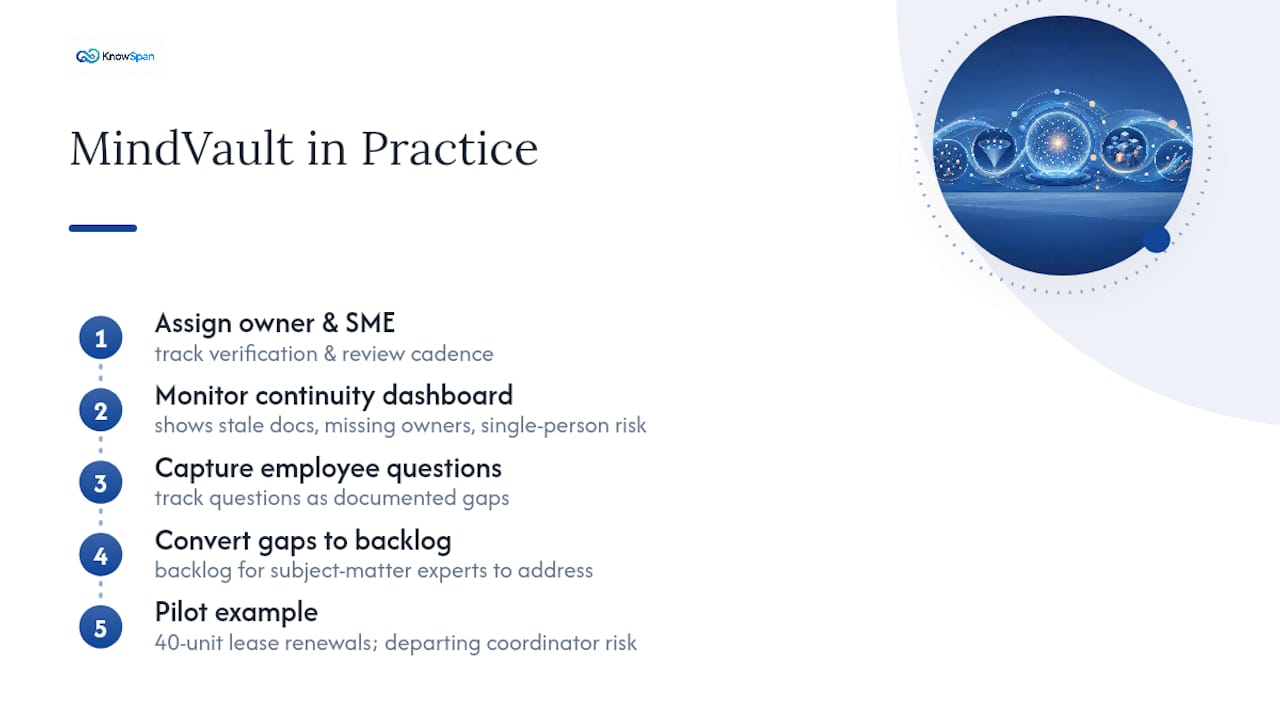
The platform ties each process to a named owner and subject-matter expert, tracking verification status and review cadence to help maintain currency. The Operational Continuity dashboard shows where an organization has exposure to stale documentation, missing ownership, or single-person dependency to help identify risks early. When employees ask operational questions without clear answers, the platform tracks these as gaps and converts them into a backlog for subject-matter experts to address. A property management firm running 40 units, for instance, could pilot this on lease renewal procedures alone, where a single departing coordinator often takes undocumented process knowledge out the door.
What Continuity Audits Actually Reveal
Two patterns show up again and again in continuity work: organizations document the easy, low-stakes processes first and leave the risky, high-turnover roles undocumented, and they buy a tool before they've assigned a single owner. Sequence matters more than software. Fix governance, then build capture habits, then pilot AI on top of a clean base, never the reverse. None of this works without a sponsor who treats knowledge gaps as an operational risk, not a documentation chore for someone's spare time.
— Jack
Get a Clear Picture of Your Continuity Risk
The MindVault platform is designed to centralize SOPs and recordings, tie processes to owners and experts, display verification status, and highlight exposure to stale documentation or single-person dependency via its Operational Continuity dashboard.
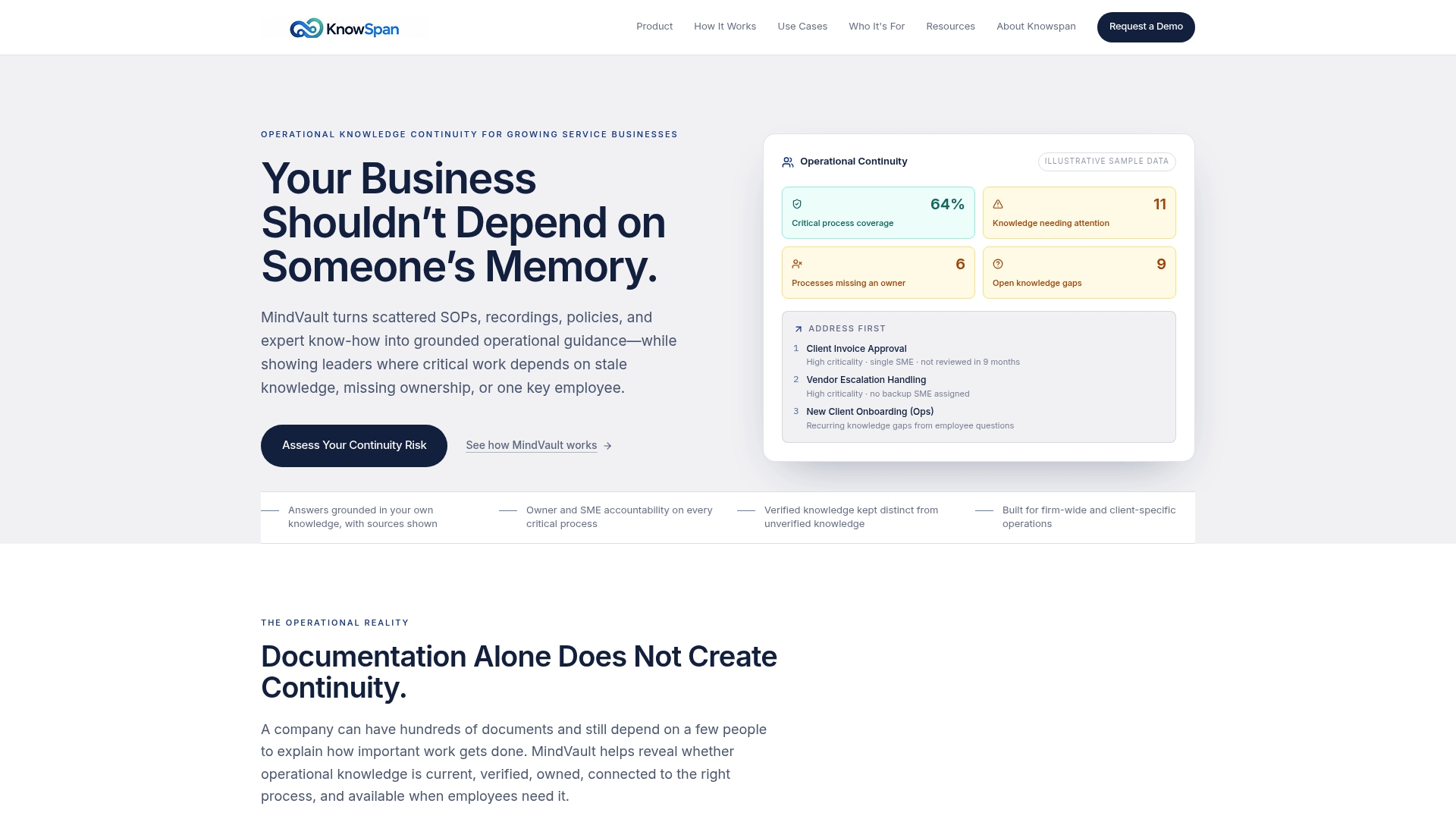
Unanswered employee questions are tracked as a backlog so subject-matter experts can close knowledge gaps rather than repeatedly answering the same questions. If you want to see where your own organization carries hidden continuity risk, run an assessment of your continuity exposure or look at the full product overview to see how the pieces fit together before scheduling a demo.
Sources
- Managing the Knowledge Life Cycle — MIT Sloan Management Review
- Knowledge Management Best Practices — KMHelpDesk
- Coworker
- Knowledge continuity playbook — BASG